
How Lakewood Arrests Work
Two agencies, two records. Lakewood Police writes the arrest or incident report for enforcement inside the city. Its Police-2-Citizen portal, known as P2C, posts a Daily Bulletin listing events with an AR Arrest tag. The city also keeps its own municipal jail. City material calls it a twelve-day facility built for temporary prisoner placement. That short-term lockup is the biggest reason a county-only search misses people.
After booking, paths diverge. Some arrestees get released. Some stay in the municipal process. Others transfer to the Cuyahoga County Corrections Center, or CCCC. The Sheriff app only tracks that county subset. A Lakewood arrest can exist without any county entry at all. The city ranked third among county municipalities in the 2020 table. The 2024 Census estimate put its population at 49,517. Even at that size, the split between city records and county custody still matters.
Where Lakewood Arrests Appear
Lakewood actually offers more city-level detail than the county's static pages do. But each channel answers a different question. Read the bulletin for city events, ask police for the maintained report, check the Sheriff app for county custody, and turn to the court for how a case ends.
| Channel | Scope | Photo |
|---|---|---|
| Lakewood Daily Bulletin | Dated city events with an AR Arrest filter | No documented photo field |
| Lakewood P2C arrests | City public-safety arrest route | Check live result |
| Lakewood Police records | Department-held reports and records | Request an existing image |
| Sheriff app | Current CCCC custody | A booking photo may appear |
| Court records | Case activity and outcome | Not a booking feed |
| Local news | Selected stories only | Story-specific |
Copycat sites lift Lakewood names, photos, and charges all the time. Plenty of that material is stale or just wrong. Skip it, and verify any lead with Lakewood Police, the jail holding the person, and the court.
Find Someone Arrested in Lakewood
Start with the municipal bulletin, since Lakewood actually publishes one. Then trace the custody route. Someone missing from CCCC can still have a perfectly valid Lakewood event or report.
- Open the Daily Bulletin and choose the relevant bulletin date.
- Select the
AR Arrestevent type and update the results. - Read the event status and identifiers without treating them as a conviction.
- Check Lakewood P2C's arrests route for the current interface.
- Check the Sheriff app only when transfer or admission to CCCC is plausible.
- Request the city report or call the records line when the public result is incomplete.
The bulletin itself warns that events may not post the same day they happen. Arrest, transport, booking, data entry, and any transfer are all separate steps. No official source promises a fixed lag. The county same-day arrest page explains the reason. The Sheriff roster is not a true last-24-hours feed.
Request Lakewood Arrest Records
Lakewood Police takes records requests five ways. Choose email, mail, fax, phone, or an in-person visit. Most records are ready in three days, the department says. Complex requests take longer. Name the exact record and event so staff can route it fast.
- Ask for the arrest report, incident report, or existing department-held photograph.
- Give a full name, narrow date range, event location, and report number when known.
- Choose email, mail, fax, telephone, or counter service.
- If the person entered CCCC, make a separate Sheriff request for the county booking record.
12650 Detroit Avenue
Lakewood, OH 44107
Records: 216-529-6785
Non-emergency: 216-521-6773
Email: police.records@lakewoodoh.gov
Fax: 216-521-7727
The city report and the county booking sheet may cover the same episode from different angles. Request both only if both exist. Ohio law may require redaction of protected material, and not every arrest produces a public photo.
Lakewood Arrest Bulletin Details
Timing is the bulletin's weak spot. It warns that some events post after the day they occurred. Check the event date and the days around it before requesting a record. This city lag is separate from county booking timing or the Sheriff app refresh.
The Daily Bulletin itself gives you real tools. You can set a bulletin date, filter by event type, and run an update. Exports go to Excel or a printer-friendly view. Status codes include active, cleared, and referred. Those controls make it a solid dated record of city activity. It is not a countywide booking log. It shows no booking photo field.
An arrest event date rarely matches a county booking time. A transfer can add a CCCC entry days later. Save the search date, bulletin date, event number, and status you saw. If a public entry changes later, go back to the source. The police record and the court docket beat any undated screenshot.
Note: Export controls make the bulletin easier to review, but an exported row remains a dated city event rather than proof of current custody.
Lakewood Jail and County Arrests
Lakewood's municipal jail is a short-term holding facility, nothing more. City material calls it a twelve-day operation. It is not a state prison or a full county jail substitute. Someone booked there might be released, taken to court, or transferred. Others head straight into CCCC. So a Lakewood bulletin event guarantees nothing about a Sheriff app entry.
- Arrest event
- The city record of police action.
- Booking
- Jail intake that creates a custody record and may include a photograph.
- Transfer
- Movement from one custody location to another.
- Disposition
- The court's later result, which may differ from the booked charge.
Lakewood's Daily Bulletin and the county roster answer two different questions. The bulletin logs reported city police activity. The Sheriff app tracks county jail custody. There, a listing may carry a name, age, race, gender, booking date and time, charges, and a photograph. Refreshes come about hourly. Even so, that cadence is not a promise. An arrest in Lakewood often means local transport and municipal intake before any county transfer. Someone released early in that process may never reach the app at all.
The county's Inmate Information page says Sheriff inmates may be housed at CCCC or at satellite locations. So a county result deserves a careful note. Record the facility, booking time, displayed charge, and your access time. The facility matters. When nothing shows up, call a booking desk only if county admission seems plausible. Lakewood Police Records stays the direct source for the city report. Keep the split in mind. A blank CCCC search is not proof that Lakewood Police made no arrest.
Older events need a date window first. The county publishes no fixed app-retention period and no multi-day Sheriff blotter. People can drop off after release, transfer, or a system refresh. The underlying record still exists. Ask Lakewood Police for its maintained report. Ask the Sheriff for a booking sheet only if county intake occurred. The related court docket then covers hearings, later charge changes, and the outcome.
Someone later sentenced to an Ohio prison belongs in the Department of Rehabilitation and Correction offender search. That state tool covers prisons. It will not answer a fresh Lakewood municipal hold. Federal and immigration custody run through separate routes too. Whatever the check, a current-custody answer should name the system used and the time it was checked.
Lakewood Arrest and Warrant Status
Lakewood's P2C service includes a wanted-search interface of its own. The municipal court posts a disclaimer with it. A listed warrant may no longer be active. Coverage runs only to warrants Lakewood Municipal Court issued, and the entry alone does not prove live validity. To confirm, call Lakewood Police at 216-521-6773.
An old bulletin row does not establish an active warrant either. Never approach someone you believe is wanted. If the matter touches you, reach the court, an attorney, or the responsible agency. A Common Pleas matter may sit with the Cuyahoga County Sheriff Warrant Division instead.
The lesson is simple. Match every record by date and source. A police event, a municipal warrant, a county warrant, a jail roster, and a court docket each change on their own schedule.
Lakewood Mugshots and Arrest News
The Daily Bulletin carries no booking-photo field. For an image made by Lakewood, ask Police Records what exists. For one taken after CCCC admission, use the Sheriff route. The county app may display a smaller booking image. Still, the county promises no public photo for every booking. The official Cuyahoga County public-records route is the fallback. It applies once a person transfers into county custody. The county page shown below marks where a precise request can begin.
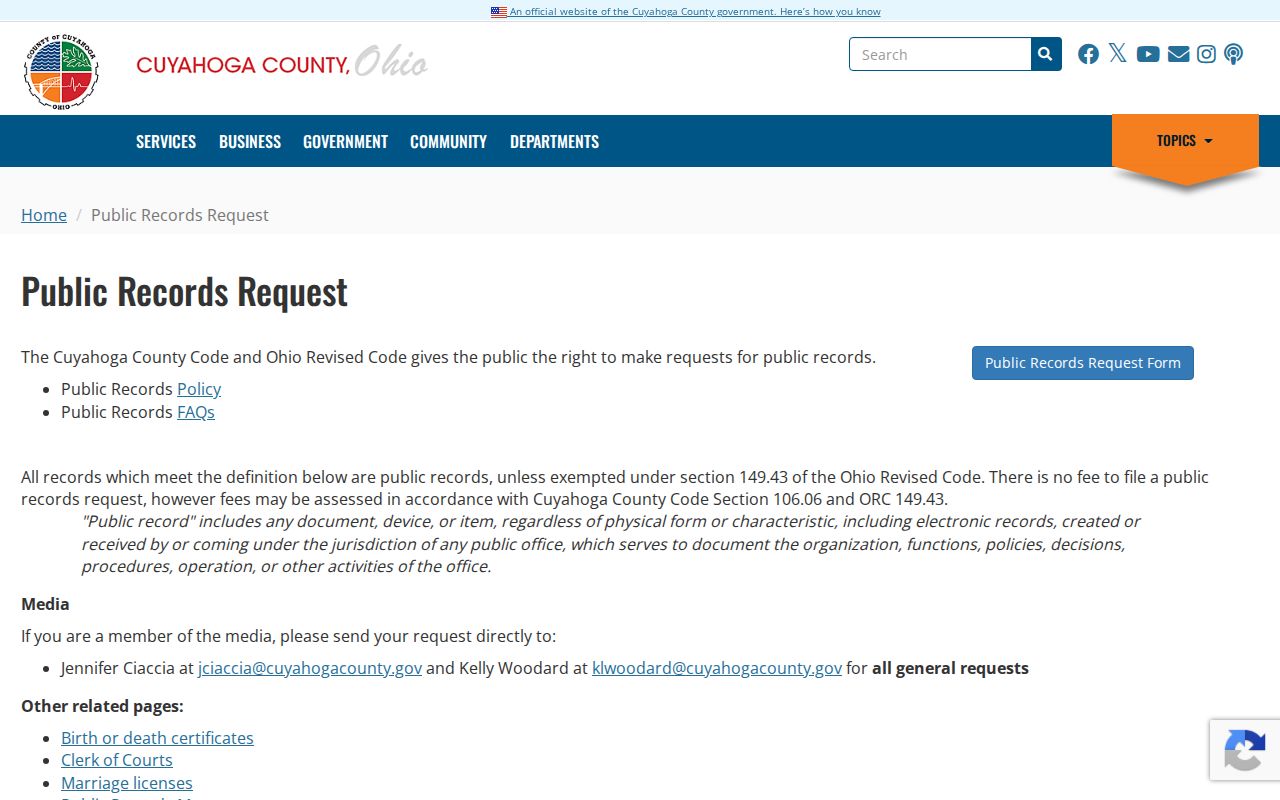
Use it for county-maintained material only, never in place of a records request to Lakewood Police.
Local news covers Lakewood arrests too. News 5, Cleveland 19, and Spectrum each run stories on city and county arrests. A photo in a news story belongs to that one report, though, and unofficial sites often keep copied arrest images around long after the fact. Official records and the court offer the reliable version. The county booking-photo section lays out the official path to booking photos.
Lakewood Police Department Location and Directions
Public Record Search
Sponsored Results